

Discover, save, and share your favourite places!
With one unique map, save your favourite spots and share them with friends. Stay connected, explore together, and always have the best places ready to revisit!


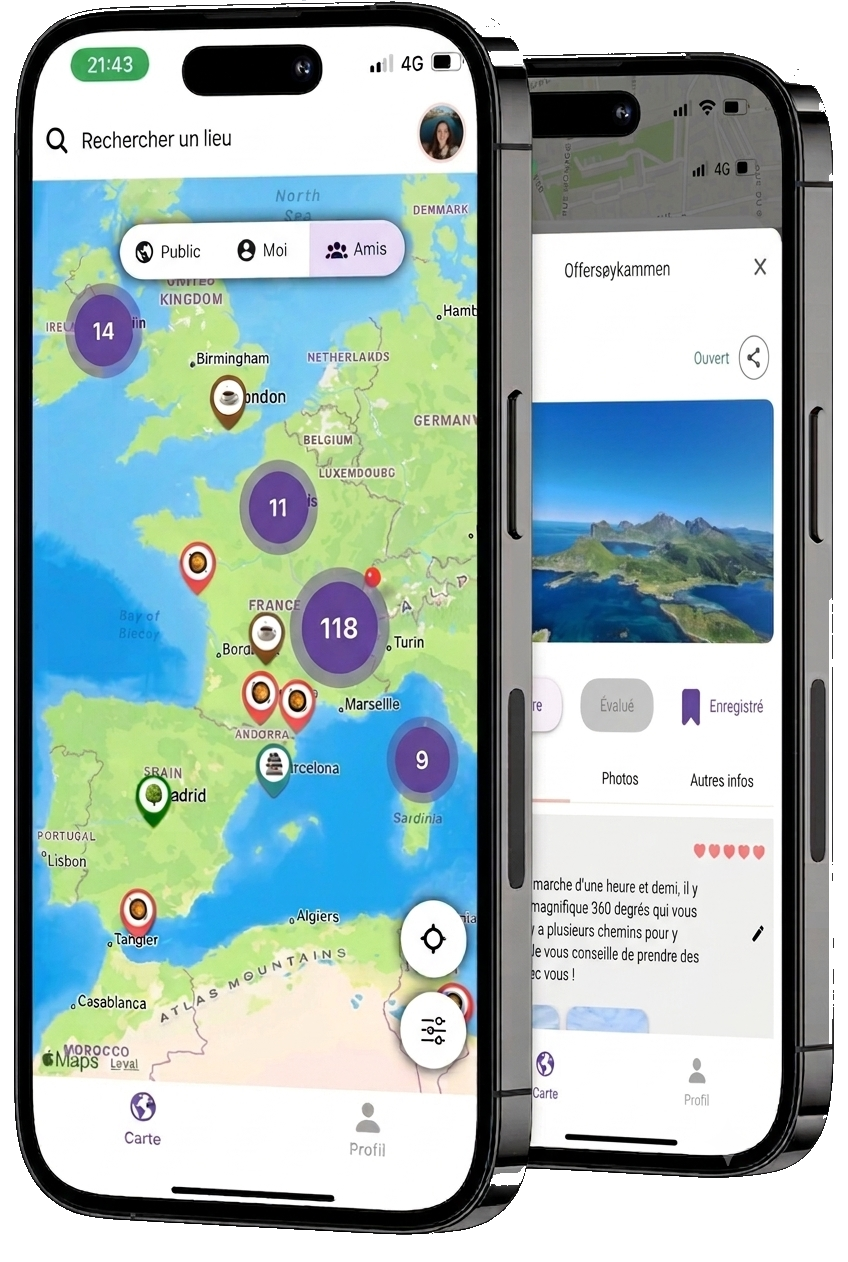
How does it work?
Save your gems
No more forgotten notes. Centralise all your favourite restaurants, bars and secret spots in one place on your map.
Share with your loved ones
You hold the key: keep your addresses completely private or open them only to your circle of friends.
Explore their world
No more fake Google or TripAdvisor reviews from strangers. Let your friends' recommendations guide you with confidence.
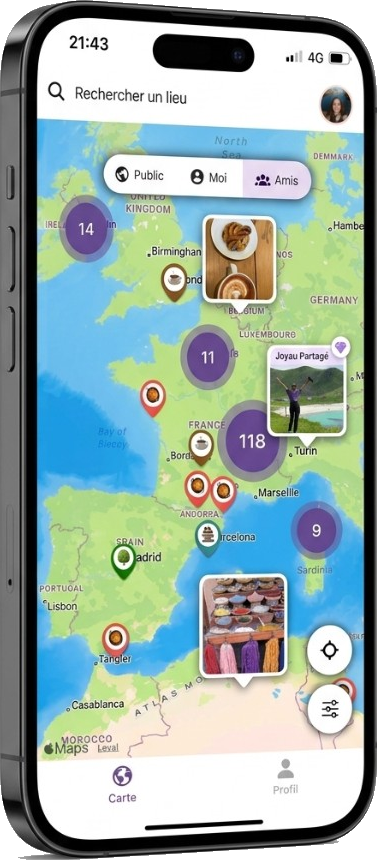
Sharing made simple, exploring made fun!
Every place you love, saved on one personalized map.
Recommendations from friends you know and trust.
Filter by friends and explore by category
Easily find the best spots—restaurants, parks, coffee shops, and more, by filtering through your friends' favourites or exploring by category. Your next adventure is just a tap away!

Download Lookzi for free
Save your favourite spots, share them with friends, and explore with confidence. Free on Google Play and the App Store.
Questions? Look Here.
Some questions about Lookzi are asked frequently. We've answered the most common ones.
-
What is Lookzi?
Lookzi is an app designed to guide users in discovering and sharing their favourite places and hidden gems. You can easily save the places you visit and categorize them by type, along with ratings, reviews, and photos. The app also allows you to explore places marked by your friends and people you follow in your network, all on a single map, providing a richer travel experience.
-
What devices are compatible with Lookzi?
Currently, Lookzi is available for Android devices. However, we are working towards making the app available on the App Store for iOS devices in the near future.
-
Download the Lookzi app
Download the Lookzi app for free on the App Store and Google Play Store:
To download the Lookzi app, simply search for "Lookzi" in the Google Play Store or App Store, and click on the download button.
-
Update to the latest version of Lookzi
To update to the latest version of Lookzi, follow these steps:
For Android (Google Play): - Open the Google Play Store on your device.
- Search for Lookzi in the search bar.
- If an update is available, you will see the Update button. Tap on it.
- Once the update is complete, the app will automatically be updated to the latest version.
For iOS (App Store): - Open the App Store on your device.
- Tap on your profile icon in the top right corner.
- Scroll down to find Lookzi under the available updates section.
- Tap the Update button next to the app.
- Once the update is complete, the app will be updated to the latest version.
-
Is the app free ?
Yes, the app is currently free. If there are any changes in the future, we will inform you in advance.
-
How do I add a place in Lookzi?
There are two ways to add a place in Lookzi:
First way: - Search for the location in the search bar.
- Select the location from the search results.
- A marker will appear on the map with a circle on top.
- Click on the "+" symbol within the circle.
- A window will pop up with two main steps:
- Step 1: Choose the location and either save it or give it a personalized name.
- Step 2:Enter the information, such as the category, rating (1 to 5 hearts, with 5 being the best), review, and optional photos.
- Click on Save.
The place will be saved and will appear on your map with the corresponding category marker.
Second way: - Click directly on the map at the location you want to add (for example, a spot in a park or a mountain area that isn't already saved in Google Maps).
- A marker will appear with a circle.
- From here, follow the same steps as in the first method, starting from step 4.
-
How do I delete my account?
To permanently delete your account while logged into the mobile app, follow these steps:
-
Navigate to the My Profile page.
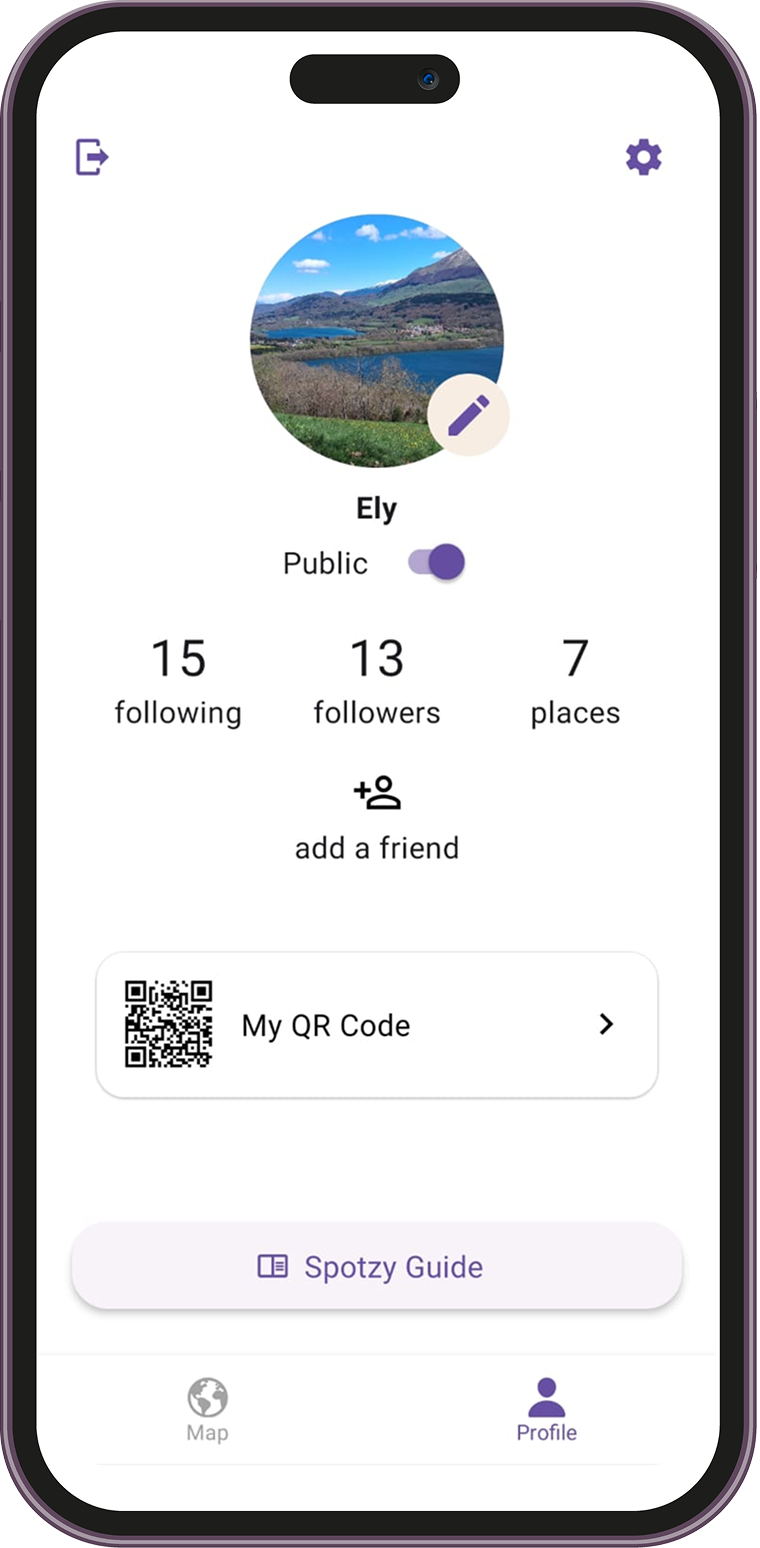
- Click on the Settings icon in the top-right corner of the screen.
-
Under the "Account and Security" section, select "Delete My Account".
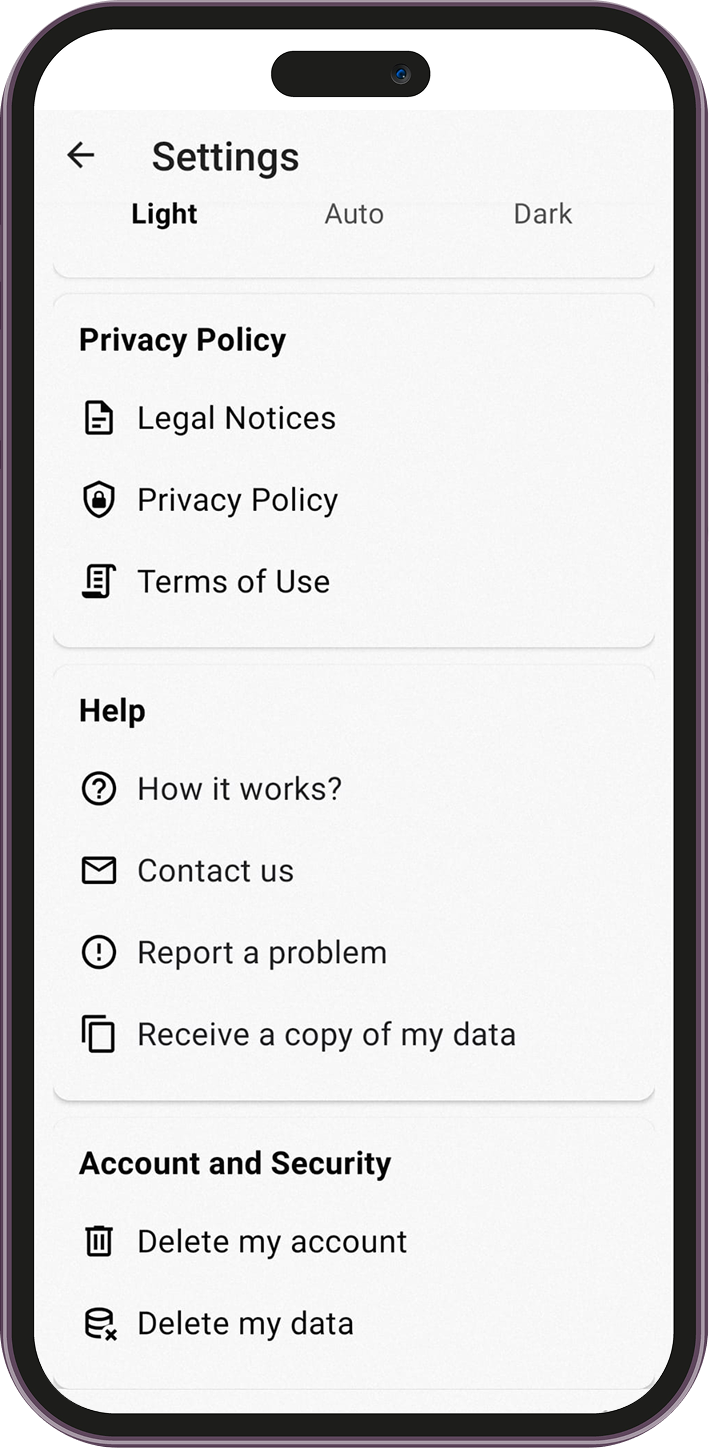
-
A confirmation dialog will appear asking if you are sure you want to delete your account.
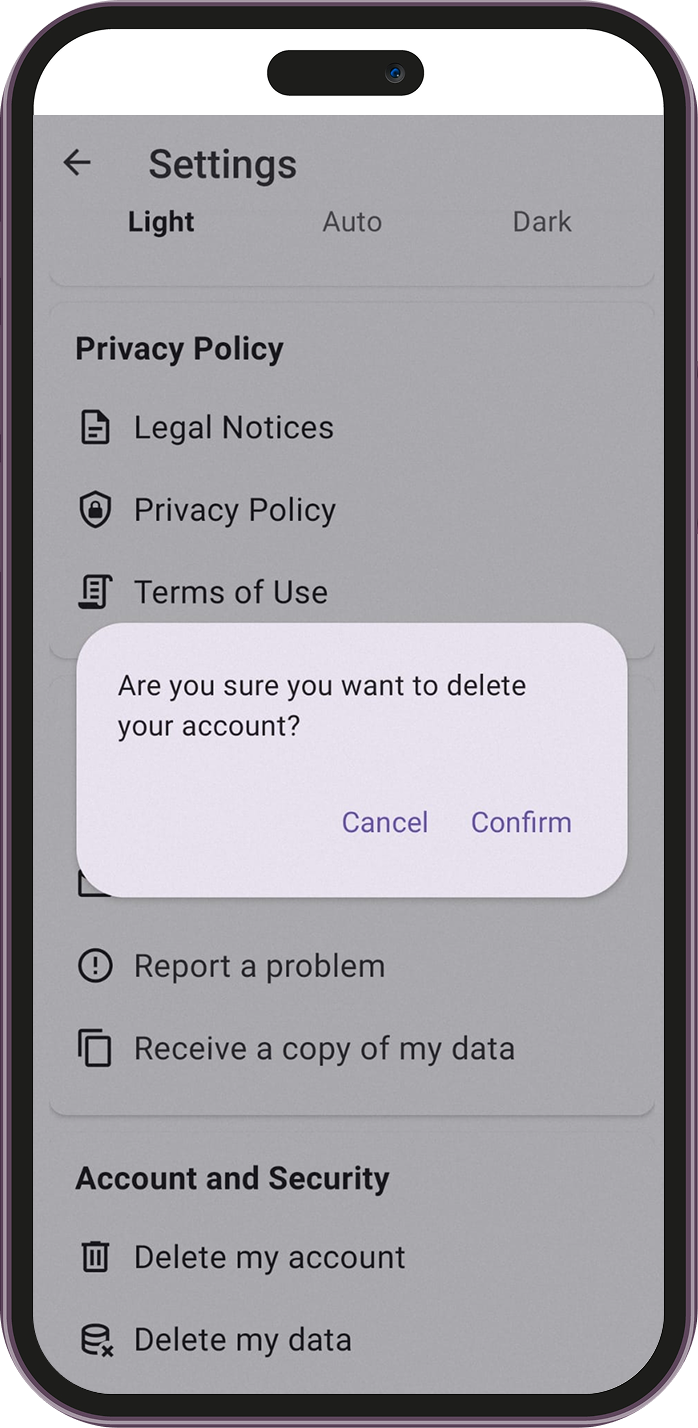
- Click "Yes" to confirm.
- A message will appear confirming that your account has been successfully deleted.
-
Can't find the answer to your question?
Contact us and we'll get back to you as soon as we can.
Follow Us